PWA vs Native Website Wrapper for App Stores in 2026

WebToApp Team
Product
Your site already works on phones. The next question is not “mobile or not” — it is which install path fits: stay on a Progressive Web App (PWA), ship Android through a Trusted Web Activity (TWA), wrap the live URL in a native shell for both stores, or hire a native rebuild.
Search pwa vs native app or publish pwa to app store and you get competitor posts from MobiLoud, AxonBuild, AppOfWeb, Brandrums, and CodeCross. Most pages sell one architecture. This guide compares all four honestly — including when you should not buy a wrapper at all.
We build WebToApp.app, a pay-once URL wrapper. Brand note: WebToApp.app is not WebsiteToApp.app, Appy Pie, Median, or MobiLoud. Different products, different pricing. We will still tell you when a PWA or TWA is the better answer.
- Free demo: 0 credits — open Android + iOS preview before you pay.
- Production credits (charged only if the build succeeds): Android $39 / iOS $59 / both $89.
- Add-ons: $9 once each (e.g. OneSignal push) — per app.
- Google Play developer account: $25 one-time. Apple Developer Program: $99/year.
- No subscription to keep the app live. Live URL content updates without a store resubmit.
- No store-approval guarantee — Apple Guideline 4.2 and Play policy still apply.
Fastest way to decide
Paste your live HTTPS URL at https://www.webtoapp.app/signup and open the free demo at 0 credits. Walk the site the way a store reviewer would. If the wrapped version feels right and you need Play + App Store listings, compare pricing at https://www.webtoapp.app/pricing. If you only need a home-screen shortcut and no store icon, you may not need us.
#What people mean by PWA vs wrapper
The terms get mixed up in marketing copy. Here is the plain-English split for 2026.
- PWA (Progressive Web App) — your website plus a web app manifest, service worker, and HTTPS. Users install from the browser (Add to Home Screen). No App Store listing. Updates when you deploy the site.
- Android TWA (Trusted Web Activity) — Chrome packages your PWA for Google Play via Bubblewrap or PWABuilder. Still your web stack; requires Digital Asset Links. Android-only — no IPA for iOS.
- Native WebView wrapper — a small native shell (splash, icon, WebView, optional push, branded offline retry) loading your live HTTPS URL. Outputs signed AAB/APK for Play and IPA for the App Store. This is what WebToApp.app builds.
- Fully native rebuild — Swift/Kotlin (or React Native / Flutter) reimplementing screens. Highest cost, highest control. Right for games, heavy offline, BLE, NFC, HealthKit.
“A PWA is still a website with superpowers. A store wrapper is a native binary that happens to show your website inside it. Apple treats those as different products with different rules.”
#Decision table: install path, push, store listing, updates, year-one cost
Use this table before you read vendor landing pages. Year-one bands include typical store fees where they apply; they are not quotes from competitors.
- PWA — Install: browser Add to Home Screen. Push: limited on iOS; better on Android via web push where supported. Store listing: none. Updates: instant on deploy. Year-one cost: ~$0 (hosting only).
- Android TWA — Install: Google Play. Push: web push in Chrome context. Store listing: Play only. Updates: site deploy + occasional TWA rebuild for manifest/shell changes. Year-one cost: ~$25 Play fee + dev time.
- WebView wrapper (WebToApp.app) — Install: Play + App Store. Push: native APNs + FCM via OneSignal add-on ($9). Store listing: both stores with your own accounts. Updates: live URL loads without resubmit; icon/splash/name/add-ons need rebuild. Year-one cost: $89 both + $25 Play + $99 Apple = ~$213 (or $222 with push add-on).
- Fully native agency — Install: both stores. Push: full native. Store listing: both. Updates: app release cycle per change. Year-one cost: commonly $10,000+ depending on scope.
#Android: PWA, TWA, and WebView wrapper
Android is the most flexible platform for web-first products. You have three realistic paths — and they are not interchangeable.
#Stay on a PWA (no Play listing)
If your audience finds you through search, email, and QR codes — and you do not need a Play store icon — a well-built PWA can be enough. Service workers cache assets. Web push works on many Android Chrome installs. You skip the $25 Play fee and review cycles entirely.
#Ship Android via TWA (Bubblewrap / PWABuilder)
Trusted Web Activity wraps your PWA in Chrome for Google Play. You need a valid manifest, HTTPS, and Digital Asset Links proving you own the domain. Tools like Bubblewrap and PWABuilder generate the Android project. This is a strong fit when you already maintain a production-grade PWA and only need Android in the store.
- Pros: no WebView maintenance; Chrome handles rendering; Play listing; stays close to your web deploy pipeline.
- Cons: Android-only — no IPA for iOS; TWA breaks if your PWA is weak (no manifest, poor offline, broken asset links); less control over splash, push SDK choice, and branded offline screens than a custom wrapper.
#WebView wrapper (WebToApp.app path)
A native Android shell loads your live URL in a WebView with splash screen, app icon, optional OneSignal push, and a branded offline retry screen instead of Chrome’s error page. You download a signed AAB for Play production. Site content on the URL updates without a store resubmit — same model as the iOS IPA from one dashboard.
- Choose TWA when: you already invested in a full PWA, only need Android in Play, and Digital Asset Links are straightforward.
- Choose a wrapper when: you need both stores from one URL, want native push SDKs, or your site is a responsive website — not a manifest-first PWA.
- Choose neither when: SEO and browser install are enough and you do not need store discovery.
#iOS: no PWA App Store path + Guideline 4.2 for wrappers
This is the part competitor posts often gloss over. As of 2026, Apple does not accept PWAs as App Store listings. Add to Home Screen on iOS creates a bookmark-style shortcut — not a store app. Web push on iOS improved in recent releases but still does not match native APNs delivery for marketing and retention use cases most businesses expect from an “app.”
- PWA on iOS — home screen icon, limited background capabilities, no App Store discovery, weaker push than native.
- Wrapper IPA on iOS — native binary reviewed under App Store guidelines. Can use APNs via OneSignal. Subject to Guideline 4.2 (minimum functionality).
- There is no TWA equivalent for iOS. If you need an App Store listing on iPhone, you need a native binary — wrapper or full rebuild.
Apple Guideline 4.2 — no approval guarantee
Apple rejects thin website wrappers that feel like a Safari bookmark with no added value. A wrapper with branded splash, no visible URL bar, push notifications, and a polished offline retry screen is reviewable — not guaranteed. Read the full 4.2 checklist in our publish guide: https://www.webtoapp.app/blog/publish-website-to-google-play-app-store-2026. We do not promise approval; we help you ship binaries worth reviewing.
#When to stay on a PWA
A wrapper is not an upgrade badge. It is a distribution and capability trade. Stay browser-first when:
- You do not need Google Play or App Store discovery — SEO, ads, and email drive traffic.
- Your product updates daily and you want zero store review latency.
- Budget is near zero and a home-screen install prompt is enough.
- Your audience is mostly desktop or you can train users to bookmark the site.
- You do not need reliable iOS push for retention campaigns.
- The site is thin marketing (one page, little interactivity) — a store wrapper would likely fail 4.2 anyway.
“The best app store strategy is sometimes no app store. If your mobile web experience is fast and your users already return via the browser, paying for binaries you do not need burns budget.”
#When a pay-once wrapper (WebToApp.app) fits
A native WebView wrapper wins when the website is already the product and you need store presence without a $10k rebuild.
- Store discovery — customers search “your brand app” in Play and the App Store.
- Native push — APNs on iOS and FCM on Android via OneSignal ($9 add-on once per app).
- Both-store binaries from one URL — no separate TWA + iOS project.
- Your own developer accounts — you control listings, pricing visibility, and analytics.
- Pay-once economics — no monthly wrapper subscription to keep the app alive.
- Responsive site already works — Wix, Webflow, Shopify, WordPress, Squarespace, or custom HTTPS.
For year-one cost math across all routes, see https://www.webtoapp.app/blog/how-much-does-it-cost-to-turn-website-into-app-2026. For platform-specific caveats, see the convert guides (e.g. https://www.webtoapp.app/blog/convert-webflow-to-mobile-app).
#Pre-flight checklist before you spend credits
Whether you pick TWA or a wrapper, stores review what users get — not what your homepage promises.
- HTTPS on a custom domain — not a staging URL or broken certificate chain.
- Mobile-responsive layout — pinch-zoom brochure sites trigger 4.2 risk on iOS.
- Login and checkout tested inside the free demo — auth cookies and redirects break in WebViews more often than in Safari.
- Privacy policy URL reachable from the app and store listings.
- 1024×1024 app icon and splash that match your brand — not a favicon stretched.
- Push only if you will use it — add OneSignal ($9) before production if you need APNs/FCM.
- Play closed testing plan for new personal developer accounts (see publish guide).
- Review credentials ready for Apple if your site has a login wall.
Open demo at 0 credits first
Sign up at https://www.webtoapp.app/signup, paste your URL, and tap Open demo on Android and iOS previews. Credits charge only when a production build succeeds. Failed builds auto-refund.
#Walkthrough + live pricing
If the decision table pointed you at a wrapper, here is the WebToApp.app path end to end.
- Create an account at https://www.webtoapp.app/signup and paste your public HTTPS URL.
- Open the free demo (0 credits) — walk key flows on Android and iOS previews.
- Set branding: app name, 1024 icon, splash, theme colors.
- Optional add-ons: OneSignal push ($9 once), FCM, AdMob — each $9 per app.
- Start production: Android $39, iOS $59, or both $89. Charged only on success.
- Download signed AAB (+ APK) and IPA from the dashboard.
- Submit with your own Play ($25 one-time) and Apple Developer ($99/year) accounts.
- Follow the 2026 publish checklist: https://www.webtoapp.app/blog/publish-website-to-google-play-app-store-2026.
#WebToApp.app pricing (live — September 2026)
- Free demo: 0 credits.
- Android production: $39. iOS production: $59. Both platforms: $89.
- Add-ons (OneSignal, FCM, AdMob): $9 once per app.
- Rebuild after icon/splash/name change: $9 Android / $19 iOS (if you already own that platform credit).
- Google Play developer account: $25 one-time. Apple Developer Program: $99/year.
- Year-one both stores example: $89 + $25 + $99 = $213 (or $222 with OneSignal).
- No subscription. No credits charged if production fails.
Push setup details: https://www.webtoapp.app/blog/push-notifications-onesignal-guide. Getting started walkthrough: https://www.webtoapp.app/blog/getting-started-with-webtoapp.
#FAQ
#Can I publish a PWA to the App Store?
No. Apple does not list PWAs as App Store apps in 2026. iOS users can add your site to the home screen from Safari. For an App Store listing you need a native IPA — either a WebView wrapper or a full native rebuild.
#Can I publish a PWA to Google Play?
Yes, via Trusted Web Activity (TWA) if your PWA meets manifest, HTTPS, and Digital Asset Links requirements. Tools like Bubblewrap and PWABuilder package it. That path is Android-only.
#TWA vs WebView wrapper — which is better?
TWA is better when you already run a strong PWA and only need Android in Play. A WebView wrapper is better when you need both stores, want native push SDKs, or your site is a responsive website without a manifest-first PWA investment.
#Do wrapper apps update automatically?
Content on your live URL loads on each app open — no store resubmit for site edits. Shell changes (icon, splash, app name, OneSignal keys) require a rebuild and a new store submission.
#Will Apple approve my website wrapper?
We do not guarantee approval. Guideline 4.2 rejects thin sites that add no value beyond Safari. Substantial sites with branded shell, push, and offline retry fare better. Read the honest checklist: https://www.webtoapp.app/blog/publish-website-to-google-play-app-store-2026.
#Is WebToApp.app the same as WebsiteToApp.app or MobiLoud?
No. WebToApp.app is pay-once credits ($39/$59/$89), free demo at 0 credits, both-store AAB and IPA, credits charged only on successful production. WebsiteToApp.app, Appy Pie, Median, and MobiLoud are different products with different pricing models. Compare demo quality and total year-one cost before you buy.
#When should I hire native developers instead?
Games, heavy offline-first data, Bluetooth/NFC, HealthKit, complex animations, or app-store-only payment flows that cannot use your web checkout. If your responsive HTTPS site is the product, a wrapper or TWA is usually the rational first step.
Try your URL in a wrapper — free
Paste your HTTPS URL at https://www.webtoapp.app/signup and open Android + iOS demo at 0 credits. If store listings and push matter, production is $39 / $59 / $89 at https://www.webtoapp.app/pricing — charged only on success. Then follow the publish guide: https://www.webtoapp.app/blog/publish-website-to-google-play-app-store-2026.
Related Articles
 Tutorials
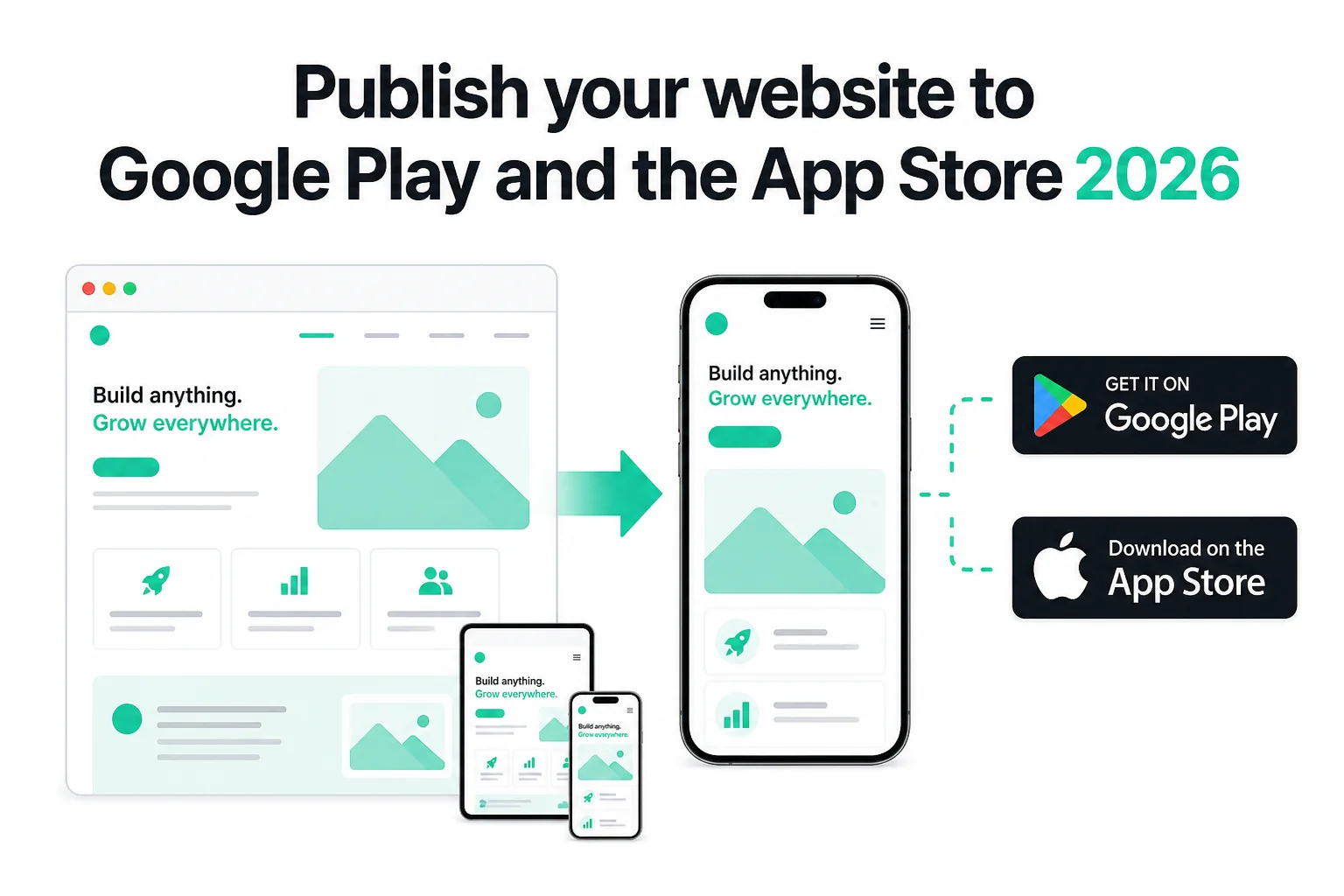
How to Publish Your Website on Google Play and the App Store in 2026 (No Code)
Publish your existing website as Android and iOS apps in 2026 — no Android Studio or Xcode. Get store-ready AAB and IPA files, pass Play closed testing and Apple 4.2, and only pay if the production build succeeds.
WebToApp Team Tutorials
How Much Does It Cost to Turn a Website Into an App in 2026?
Honest year-one math for every route — DIY Capacitor, pay-once URL wrappers, subscription publishers, managed services, and native rebuilds. WebToApp.app both-platform example: about $213 first year including Apple and Play fees.
WebToApp Team Tutorials
Getting Started with WebToApp: Convert Your Website to a Mobile App in Minutes
Learn how to transform your existing website into native iOS and Android apps using WebToApp. No coding required—just enter your URL and build.
WebToApp Team