How to Turn a Website Into an App in 2026 (Step-by-Step for Android and iOS)

WebToApp Team
Product
You have a website that already works in mobile browsers. Now you want a real install on Google Play and the App Store — without rebuilding the whole product in Kotlin or Swift. Search terms like convert website to app, website to app converter, and turn your website into an app all describe the same job: wrap what you already ship on the web inside a native shell stores will accept.
This guide is the vendor-neutral pillar for that job. We walk through deciding whether an app is worth it, auditing your site on real phones, comparing four honest routes (PWA, DIY, subscription wrappers, pay-once URL wrappers), testing before you spend money, and maintaining after launch. When we show WebToApp.app steps, we mean our product — pay-once credits, free demo at 0 credits, signed AAB and IPA you submit with your own developer accounts.
Brand note: WebToApp.app is not WebsiteToApp, WebIntoApp, or other similarly named converters. Different companies, different pricing, different deliverables. Compare demos and who owns your binaries before you buy anything.
- Not a WordPress-only or Shopify-only tutorial — platform-specific guides are linked at the end.
- Store submission detail lives in our publish checklist; cost math in our pricing guide; PWA depth in our wrapper-vs-PWA post.
- No store-approval guarantee anywhere in this industry — Apple Guideline 4.2 and Play minimum-functionality policy still apply.
Start with your live URL
Create a free account, paste your HTTPS site, and open the dashboard demo before production credits. Sign up: https://www.webtoapp.app/signup · Pricing: https://www.webtoapp.app/pricing · FAQ: https://www.webtoapp.app/faq
#Is your website a good app candidate?
An app earns its icon when mobile users come back, sign in, or benefit from push — not when marketing wants a store badge for a site nobody opens twice.
- Good fit: accounts, dashboards, bookings, member areas, repeat purchases, tools people use weekly.
- Push adds real value: order updates, messages, reminders, new content — not spam for a static brochure.
- Weak fit: one scrolling sales page with no depth, no login, no reason to return. Stores may treat that as a thin wrapper.
- Sometimes a fast, responsive mobile site (or a PWA on Android) is enough. You skip $99/year Apple fees and review cycles.
Apple Guideline 4.2 and Google Play’s minimum-functionality expectations are the reality check. A bookmark dressed as an app — no accounts, no utility, no native extras — is a common rejection. Wrappers can add splash, offline retry, and optional push, but they cannot invent product depth your URL does not have.
Push notifications are optional on WebToApp.app via paid add-ons (OneSignal or FCM). They help retention when your product already has a reason to return — they do not fix a site nobody bookmarks.
#Site readiness audit (run this on phones first)
Most failed launches are website problems wearing an app icon. Run this checklist on your production HTTPS URL in mobile Safari and Chrome, then again inside WebToApp.app’s Open demo on General (splash, then in-dashboard phone preview — not the same thing as uploading a store build).
- HTTPS on a custom domain you control — not only a temporary builder subdomain for production listings.
- Responsive layout at 360–430px width: nav, forms, tables, and modals must work without hover.
- No hover-only menus or tooltips that block taps on touch screens.
- Login and session persistence: close the app, reopen, still signed in. Cookies and storage behave differently in WebViews.
- OAuth and Google sign-in: test full redirect flows in the demo. Sign in with Apple is required on iOS when you offer other third-party login.
- Payments: physical goods and services often checkout in a WebView; digital goods consumed in the iOS app generally need In-App Purchase — web checkout alone is a Guideline 3.1 risk.
- External links open sensibly; file uploads and camera inputs work if your product needs them.
- Privacy policy URL that matches analytics, auth, and forms — linked in the app and store listings.
- Account deletion: apps with accounts need a path to delete them (Apple requirement).
- Security headers: CSP or X-Frame-Options must not block your site inside the app WebView.
Reviewers need access
Put working demo credentials in App Store Connect and Play Console review notes. Gated sites with no public path are a common 4.2 rejection.
#Four routes to turn a website into an app (compared honestly)
Every team lands on one of these architectures. Pick by store ambition, interaction complexity, budget horizon, and how much engineering you already have.
- PWA / Trusted Web Activity (Android) — install from the browser, fast and cheap. No App Store listing; iOS PWA limits on push and discovery. Fine for internal tools; weak when marketing needs Play and App Store badges.
- DIY Capacitor or Cordova-class — mirror your site in Android Studio and Xcode, own plugins and signing. Full control, real dev time, and you debug every WebView quirk yourself.
- Subscription or license wrapper services — live URL plus bridge plugins, monthly or annual fees. Strong when you want their plugin catalog and ongoing support; budget beyond store accounts.
- Pay-once URL wrapper (WebToApp.app) — your live HTTPS URL in a native splash and WebView, optional push add-ons, branded offline retry. Outputs signed AAB and IPA for your own Play and Apple accounts. Site content updates on the URL without a store resubmit; icon, splash, name, and add-ons need a rebuild.
Platform-specific shortcuts still exist when your stack matters. WordPress and WooCommerce stores: https://www.webtoapp.app/blog/convert-wordpress-to-mobile-app. Shopify: https://www.webtoapp.app/blog/convert-shopify-to-mobile-app. Webflow, Wix, Squarespace, Lovable, and Framer each have their own 2026 guides if your CMS or builder is the main variable — this pillar stays stack-agnostic on purpose.
“Stores do not care which CMS you used. They care whether the installed app is useful, stable, and honest about privacy and payments.”
— Practical takeaway from App Review patterns
If you are comparing build website to app vendors, run the same URL through each demo on the same phone. Watch login, scroll performance, and checkout — not homepage marketing videos.
Deep dive on installable web versus store wrappers: PWA vs Native Website Wrapper for App Stores in 2026 — https://www.webtoapp.app/blog/pwa-vs-native-wrapper-website-to-app-2026. Year-one cost bands: How Much Does It Cost to Turn a Website Into an App in 2026? — https://www.webtoapp.app/blog/how-much-does-it-cost-to-turn-website-into-app-2026.
#Create a mobile app from your website with WebToApp.app (step by step)
This is the pay-once path we sell. It assumes your site already passes the readiness audit. WebToApp.app does not ship native tab bars or drawer navigation — the app loads your website full screen like a focused browser without a URL bar.
#1. Sign up and create an app
- Create an account at https://www.webtoapp.app/signup (no credit card required for the demo path).
- Choose Create app and paste your public HTTPS website URL.
- Set the app display name (required). We suggest a name from your page title; you can edit later before production.
- App icon at create: we fetch your favicon when possible, or generate a letter avatar — you can upload a replacement before store builds. Store-quality 1024×1024 artwork is still your job for Apple.
- Submit Create app and start demo — Android and iOS demo builds queue automatically at 0 credits.
#2. Open the demo and download install files
Production lanes on General stay hidden until you open the demo once or a demo file reaches Ready — that is intentional. We want you to see the site inside a shell before credits move. Download links for demo.apk and demo.zip do not unlock production by themselves; opening the demo does.
On General, use Open demo for an in-dashboard phone preview (splash animation, then your site in a framed WebView). That preview does not replace testing the actual demo binaries on hardware.
- Demo status rows show Queued / Building / Ready. Ready offers Download — Android demo.apk and demo.zip; iOS demo.zip for sideload or tools like Appetize.
- Demo files are not store builds. They expire after seven days; you can retry demos at 0 credits.
- Walk the flows reviewers will: login, checkout, uploads, external links — on real phones, not only the iframe.
#3. Branding, splash, and optional add-ons
- Set splash screen, status bar colors, and offline error screen on General and Look tabs.
- Optional add-ons (OneSignal, FCM, AdMob) unlock for 9 credits each — about $9 at list pricing — once per app.
- We do not claim native bottom tabs or hamburger drawers in the product; navigation is your website’s UI.
#4. Production build and your store accounts
- After you have opened the demo (or a demo file is Ready), production lanes unlock on General and platform tabs.
- Android production: signed AAB for Google Play — 39 credits ($39). You may also download APK/AAB for testing.
- iOS production: signed IPA uploaded via our pipeline — 59 credits ($59). Complete App Store Connect API credentials on the iOS tab (Team ID, Key ID, Issuer ID, .p8 key) before the build.
- Both platforms bundle: 89 credits ($89) versus 98 credits bought separately.
- Credits charge only if the production build succeeds. Failed builds refund held credits. Draft edits are free.
You submit with your own Google Play Console account ($25 one-time) and Apple Developer Program ($99/year). WebToApp.app generates binaries; you own the listings, metadata, and policy compliance.
New to store submission?
Play closed testing for new personal accounts, Apple review notes, and file-type cheat sheets: How to Publish Your Website on Google Play and the App Store in 2026 — https://www.webtoapp.app/blog/publish-website-to-google-play-app-store-2026
#Device testing checklist before production credits
Treat this like a release gate. One broken login in WebView costs more than a day of rebuilding icons.
- Login survives force-quit and reopen.
- Android hardware back button: does it exit nested modals before leaving the app?
- Deep links and external links: payment providers, maps, mailto — confirm they open correctly.
- File uploads and camera capture if your product uses them.
- Payments and 3-D Secure redirects complete inside the shell.
- Offline or blocked network shows your branded error screen, not a broken browser glyph.
#What updates live vs what needs a rebuild
With a URL wrapper, the app loads your live site. Publish a blog post, change pricing, fix copy — users see it on next open without resubmitting to Play or Apple.
- Live without resubmit: any change visible on the same HTTPS origin your app loads.
- Needs rebuild (+ store update): app icon, splash, display name, add-on keys, Android package name / iOS bundle ID.
- No vendor can promise approval on that update — plan review time for shell changes that affect capabilities.
#After launch: maintain the site, not just the listing
Store listings need screenshots, descriptions, and policy answers that match the live app. When you fix bugs on the website, users get the fix automatically in a URL wrapper. When you rebrand or change push providers, budget a rebuild and a store update. Keep review credentials current if you add paywalls.
For a deeper product walkthrough of tabs and build buttons, see Getting Started with WebToApp — https://www.webtoapp.app/blog/getting-started-with-webtoapp. OneSignal setup: https://www.webtoapp.app/blog/push-notifications-onesignal-guide.
#Timeline expectations (short version)
Same-day: free demo builds and, once configured, production AAB/IPA generation. Store clocks are separate. New Google Play personal developer accounts often need closed testing with opted-in testers before production access — commonly on the order of weeks, not hours. Apple review is often a few days but varies. Full checklists and screenshots live in the publish guide linked above.
#Cost in one paragraph
WebToApp.app production is pay-once: $39 Android, $59 iOS, $89 both, plus official store fees and optional $9 add-ons. Demos stay at 0 credits. Subscription wrappers and agencies have different math — see https://www.webtoapp.app/blog/how-much-does-it-cost-to-turn-website-into-app-2026 for year-one tables.
#FAQ
#Can I convert my website to an app for free?
You can test seriously for free. WebToApp.app queues Android and iOS demo builds at 0 credits and offers Open demo on the dashboard. Store-ready AAB and IPA require production credits ($39 / $59 / $89), and you only pay those credits if the production build succeeds. Google Play and Apple charge their own developer fees separately. There is no forever-free path to a public store listing — and no honest vendor offers one.
#Is there a free website to app converter?
Many landing pages promise free conversion; read the fine print. WebToApp.app’s free tier is a real demo: installable demo binaries plus an in-dashboard phone preview, not a fake live preview in the marketing site. Production is pay-once per successful build, not an open-ended subscription.
#Do I need to code?
Not for the WebToApp.app URL-wrapper path — you paste a URL, configure branding, and download or upload binaries. You still need to operate Play Console and App Store Connect (metadata, screenshots, policy forms). DIY Capacitor is the route when you want code-level control.
#What is the difference between APK and AAB?
APK is a single install package — useful for sideloading and some testing. Google Play production requires Android App Bundle (AAB). WebToApp.app demo Android files include APK; production targets AAB for Play. iOS uses IPA for App Store Connect / TestFlight.
#Will my app be approved?
Nobody can guarantee approval. Apple and Google judge content depth, privacy, payments, and whether the install is more than a thin brochure. Build substance on the web first, document test accounts, and follow the publish guide. Rejection is common; fixes are usually site or metadata changes, not magic in the wrapper.
#How do I turn a website into an Android app?
Pick a route (PWA/TWA, DIY, subscription wrapper, or pay-once wrapper), pass the mobile audit, generate a signed AAB with your tooling, and upload to your Google Play Console account. WebToApp.app outputs that AAB after a successful $39 production build; you own submission and closed testing requirements.
#How do I turn a website into an iOS app?
Same decision tree, but Apple requires the Developer Program, App Store Connect setup, and often Sign in with Apple when you offer other social login. WebToApp.app produces an IPA after a successful $59 production build using your App Store Connect API credentials on the iOS tab.
#Can I convert a web app into a mobile app without rebuilding?
If your web app is already responsive and session-stable in mobile Safari and Chrome, a URL wrapper or Capacitor shell can ship it to stores without rewriting business logic. If you need offline-first local data, heavy native gestures, or IAP for digital goods on iOS, plan for more than a wrapper.
#How do I create a mobile app from a website in 2026?
Audit the site → choose PWA, DIY, subscription, or pay-once wrapper → test on real devices → generate store binaries → submit with your developer accounts → maintain content on the URL and rebuild the shell when branding or push changes. This article is that sequence; platform-specific shortcuts are in our WordPress, Shopify, Webflow, Wix, Squarespace, Lovable, and Framer guides.
#How is WebToApp.app different from WebsiteToApp or WebIntoApp?
Similar names, different products. WebToApp.app focuses on pay-once store binaries, free demos at 0 credits, optional push add-ons, and credits charged only on successful production builds. Always compare a live demo on your URL before purchasing any converter.
Next steps
Sign up: https://www.webtoapp.app/signup · Pricing: https://www.webtoapp.app/pricing · FAQ: https://www.webtoapp.app/faq · Publish checklist: https://www.webtoapp.app/blog/publish-website-to-google-play-app-store-2026 · Cost guide: https://www.webtoapp.app/blog/how-much-does-it-cost-to-turn-website-into-app-2026 · PWA comparison: https://www.webtoapp.app/blog/pwa-vs-native-wrapper-website-to-app-2026 · Product tour: https://www.webtoapp.app/blog/getting-started-with-webtoapp
Related Articles
 Tutorials
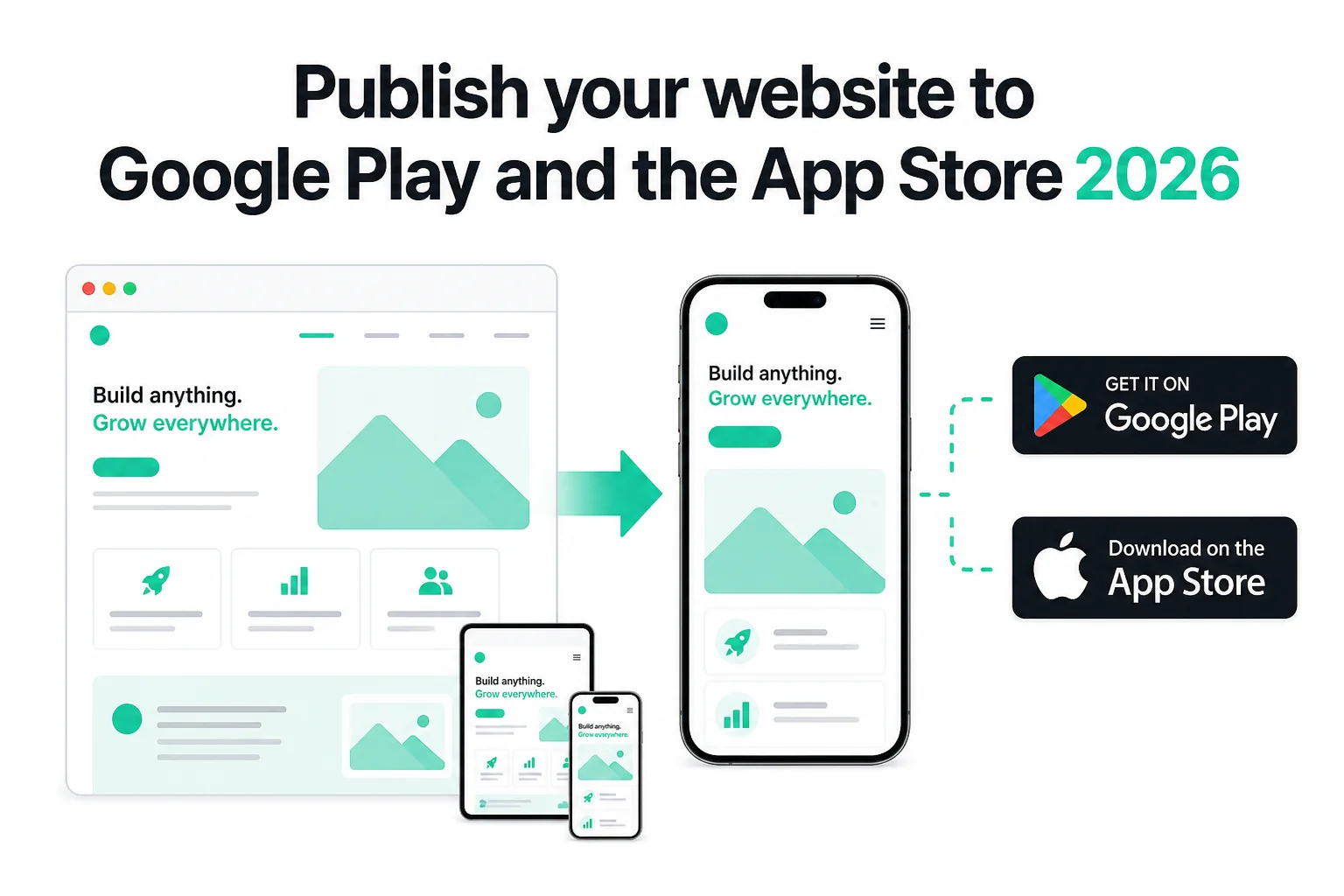
How to Publish Your Website on Google Play and the App Store in 2026 (No Code)
Publish your existing website as Android and iOS apps in 2026 — no Android Studio or Xcode. Get store-ready AAB and IPA files, pass Play closed testing and Apple 4.2, and only pay if the production build succeeds.
WebToApp Team Tutorials
How Much Does It Cost to Turn a Website Into an App in 2026?
Honest year-one math for every route — DIY Capacitor, pay-once URL wrappers, subscription publishers, managed services, and native rebuilds. WebToApp.app both-platform example: about $213 first year including Apple and Play fees.
WebToApp Team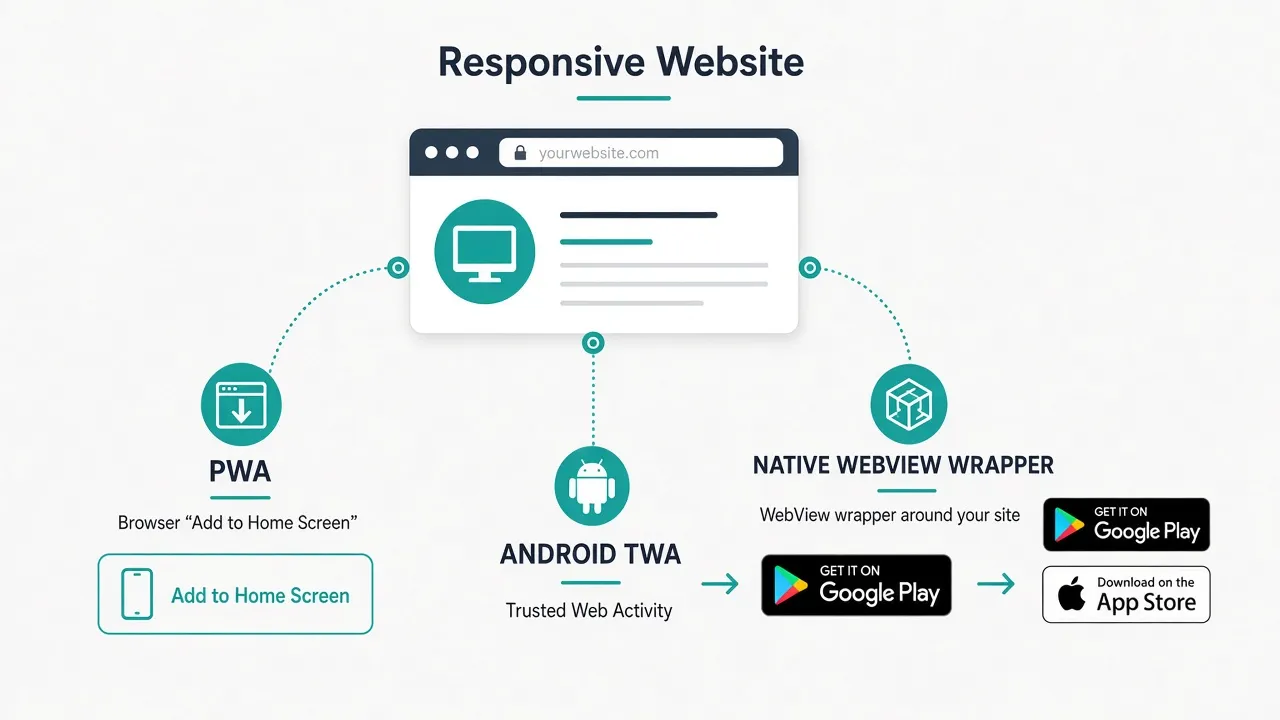 Tutorials
PWA vs Native Website Wrapper for App Stores in 2026
Honest comparison: stay on a PWA, ship Android via TWA, wrap your URL for both stores, or hire native. What iOS and Android actually allow in 2026, when each path wins, Apple 4.2 reality, and pay-once wrapper pricing.
WebToApp Team