Choosing a Website to App Converter in 2026: 12 Questions to Ask Before You Pay
WebToApp Team
Product
You typed website to app converter, web to app converter, or mobile app wrapper for website because you want a store listing — not another blog roundup. Search is full of “best converter” lists. This post is different: a buyer checklist you can paste into Notes and use on sales calls.
A website to app converter (also marketed as web into app converter, web to application, or site to app tool) wraps your live URL in a native shell and produces Android and/or iOS binaries. The product category is mature. The lock-in traps are still the same: someone else owns your listing, your signing key never leaves their cloud, or your app stops updating the moment your subscription lapses.
We will not re-litigate full cost tables (see How Much Does It Cost to Turn a Website Into an App in 2026 — https://www.webtoapp.app/blog/how-much-does-it-cost-to-turn-website-into-app-2026), what “free” means (https://www.webtoapp.app/blog/free-website-to-app-converter-2026), or brand confusion between WebToApp.app and WebIntoApp (https://www.webtoapp.app/blog/webtoapp-vs-webintoapp-2026). After you pick a vendor, run WebView QA before review (https://www.webtoapp.app/blog/website-webview-app-checklist-2026).
We operate WebToApp.app at https://www.webtoapp.app — not WebToApp.design, not WebIntoApp.com, not WebInto.app, not WebsiteToApp.app. Facts about our product below match https://www.webtoapp.app/pricing and Frontend/src/lib/stripe.ts in our repo: Android production 39 credits ($39), iOS 59 ($59), both-platform pack 98 credits charged at $89, optional add-ons 9 credits ($9) each, Android rebuilds 9 credits, iOS rebuilds 19 credits, credits consumed only on successful production builds, free logged-in demo at 0 credits.
No one guarantees store approval
Google Play and Apple App Store review are independent of any converter. Thin brochure sites wrapped as “apps” still hit Apple Guideline 4.2 (minimum functionality). Any vendor promising 100% acceptance is selling marketing, not review outcomes. You own remediation after rejection.
#Why a checklist beats a “top converters” list
Listicles rank affiliates. Your job is to eliminate vendors that fail on ownership, output, or economics. Two products can both say “convert website to mobile app” and differ on whether you can leave with files, keys, and store access intact.
Commercial investigation intent is narrow: you already have a site. You need a defensible shortlist, a demo on a physical phone, and a written answer for each question below. If a sales page hand-waves, treat silence as “no.”
#The three assets you must not lose
Picture three columns: (1) the store listing and developer account, (2) cryptographic signing material for Android and iOS, (3) the actual AAB and IPA artifacts. If any column stays with the vendor while you pay rent, switching later means republishing under a new package name or losing push tokens and reviews.
#The twelve questions (with what good answers sound like)
#1. Who owns the Google Play and Apple Developer accounts — and the store listing?
Good answer: you create Play Console ($25 one-time) and Apple Developer Program ($99/year) in your legal entity’s name. The vendor supplies binaries; you create the listing, privacy policy URL, screenshots, and support contact. The app title and bundle ID live under accounts you control.
Risky answer: “we publish for you under our developer account” or a white-label listing you cannot transfer. You may never get console access, cannot see crash data in your own dashboards, and may lose the listing if the vendor churns.
Publishing steps are in our 2026 guide: https://www.webtoapp.app/blog/publish-website-to-google-play-app-store-2026. WebToApp.app does not hold your store accounts; you submit AAB and IPA yourself.
#2. Who holds the Android upload key and iOS signing credentials — and can you export them?
Google Play expects a consistent signing identity for updates. If only the vendor’s HSM holds your upload key, you cannot ship a hotfix elsewhere without Play App Signing gymnastics and support tickets.
On iOS, distribution certificates and provisioning profiles tie to an Apple team. Some vendors build with their certificate and hand you an IPA; updates then require their pipeline forever.
Good answer: production builds are signed with credentials from your Play App Signing setup and your Apple Developer team (you upload API keys or certificates in the dashboard), or the vendor documents exactly which files you receive to reproduce builds. WebToApp.app signs Android AAB for your package name and builds iOS IPA using credentials you configure in the iOS tab — you remain the Apple team owner.
#3. What happens to the live app if you stop paying?
Subscription wrappers and “hosted shell” products sometimes tie runtime updates, push relay, or store management to an active plan. Pay-once products may still charge for rebuilds but should not brick an already-published binary.
Ask explicitly: does the installed app keep opening my HTTPS site without renewal? Do push credentials stop? Does the listing get removed from stores?
Example pattern (subscription vendor, checked November 2026): Median.co’s public pricing shows paid tiers with a one-time license activation fee plus an annual fee starting twelve months later on Starter, Essential, and Plus — i.e. recurring cost after year one on paid plans. Their free tier keeps a “Powered by Median.co” watermark. Read the renewal sentence on any vendor page you shortlist.
WebToApp.app uses pay-once credits, not a subscription. You download store binaries; ongoing hosting is your website, not our monthly fee.
#4. Do you get real, downloadable AAB and IPA files?
Some “free website to app converter” flows stop at a preview APK, a QR test build, or a store listing the vendor controls. Production means: signed Android App Bundle for Play, and signed IPA for App Store Connect / TestFlight.
Good answer: after payment, you download artifacts from a dashboard or email link and can archive them in your own storage. You can upload the same AAB to Play without returning to the vendor.
WebToApp.app production builds output store-ready AAB (plus APK for device testing on Android) and IPA for iOS when the build succeeds.
#5. Is there a watermark, “powered by,” splash ad, or vendor AdMob?
Free tiers often monetize attention: splash footer, interstitial, or mandatory analytics. That may be fine for experiments; it is not fine for a brand launch you thought was production.
Median.co’s pricing page (checked November 2026) states the free plan shows “Powered by Median.co” on the splash screen and in the JavaScript bridge widget. Paid tiers remove the watermark.
WebToApp.app production builds use your icons and splash assets; we do not inject a “powered by WebToApp” splash on paid production. Optional AdMob is a paid add-on you enable — not a forced default.
#6. What does an update cost — and do website content changes require a rebuild?
Pure WebView wrappers load your live HTTPS site. Text, layout, and most feature changes on the server appear on next app launch without a new binary — same as mobile Safari, subject to cache headers.
You need a new build when native metadata changes: app icon, splash, bundle ID, permission strings, SDK upgrades, push certificates, or minimum OS bumps. Ask the vendor price for that rebuild.
WebToApp.app (repo pricing): first Android production 39 credits, subsequent Android rebuilds 9 credits; first iOS 59 credits, subsequent iOS rebuilds 19 credits. Content-only site updates do not consume credits.
#7. Which native features are included vs paid add-ons?
Push notifications, deep links, biometrics, camera and microphone access, file uploads, in-app purchases (RevenueCat / StoreKit), and analytics bridges often sit behind plugins or enterprise tiers.
Make a row for each feature you need this quarter. “Supported” is not enough — ask if it is configured in your plan, documented, and testable in the free demo.
WebToApp.app: core WebView shell plus branding in the base production build. OneSignal, Firebase Cloud Messaging, AdMob, and RevenueCat integrations unlock per app for 9 credits each (one-time per app, per addon type in our wallet). Deep linking and uploads depend on your site and our WebView template — use the WebView QA checklist (https://www.webtoapp.app/blog/website-webview-app-checklist-2026) before you assume camera or file pickers work.
#8. Is there a free preview on a real phone before you pay?
Emulator GIFs lie. You want a logged-in demo at zero cost: install on your Android handset, or exercise iOS preview paths the vendor documents, and run login, checkout, and upload flows.
WebToApp.app: open Android and iOS demo at 0 credits after signup (https://www.webtoapp.app/signup). Production credits trigger only when you request a store build and it succeeds.
#9. If the build fails, do you lose money?
Failed cloud builds happen: bad signing creds, invalid bundle ID, Apple agreement not accepted, Gradle timeout. Ask whether failed jobs burn your payment, and how retries work.
WebToApp.app reserves credits when a build starts; if the build fails, credits are refunded to your wallet automatically (stated in the build confirmation UI and requestBuild flow). You are charged for successful production output, not for a broken pipeline attempt.
#10. Who submits to the stores — and what review risks remain?
Concierge publishing can help first-time developers. It does not transfer responsibility: Apple and Google reject apps, not vendors. Guideline 4.2 (minimum functionality) and misleading metadata still apply.
Median.co markets turnkey publishing and “guaranteed acceptance” on higher-touch plans (checked November 2026 on their pricing/marketing pages). Treat any guarantee as conditional fine print — store policies change; your content still must comply.
WebToApp.app does not submit on your behalf. You upload binaries in your own consoles. That keeps ownership clear and avoids a middleman in review correspondence.
#11. What support and build turnaround do you get?
Ask for median build queue time, timezone coverage, and whether signing or entitlement errors get human follow-up. Email-only support with 72-hour SLA is common on cheap tiers.
Document the channel before you pay: in-app ticket, email, Slack for enterprise. Save one successful build log as baseline.
WebToApp.app support link: https://www.webtoapp.app/support — product FAQ: https://www.webtoapp.app/faq
#12. Do you need a Mac for iOS?
If the vendor ships iOS source code only, you compile in Xcode locally — Mac required. If the vendor cloud-signs an IPA from your Apple API key or certificate, you may not need hardware; you still need an Apple Developer membership.
WebToApp.app builds IPA in our pipeline using credentials you configure; you do not need a Mac to produce the production IPA file. Deeper walkthrough: https://www.webtoapp.app/blog/convert-website-to-ios-app-2026
#Copy-paste scorecard (0 = no / unclear, 1 = partial, 2 = yes)
Score each vendor you are comparing. Sum the column. Anything under 18 before demos usually means keep shopping.
- Store accounts and listing in my company name — 0 / 1 / 2
- I receive and control Android upload / signing material — 0 / 1 / 2
- Published app keeps working if I cancel vendor billing — 0 / 1 / 2
- Downloadable production AAB and IPA without vendor upload — 0 / 1 / 2
- No watermark or forced vendor ads on paid production tier — 0 / 1 / 2
- Website content updates do not require paid rebuild — 0 / 1 / 2
- Rebuild pricing stated publicly (first vs subsequent) — 0 / 1 / 2
- Native features I need are priced and documented — 0 / 1 / 2
- Free demo on physical device before purchase — 0 / 1 / 2
- Failed builds refund payment or credits — 0 / 1 / 2
- Review risks explained without “100% approval” hype — 0 / 1 / 2
- Support channel and realistic build SLA documented — 0 / 1 / 2
Vendor A total: ___ / 24. Vendor B total: ___ / 24.
#Red flags (walk away or escalate to legal)
- They will not say who owns the Play or App Store listing in writing.
- You never receive an AAB or IPA file — only a link inside their ecosystem.
- Upload key or Apple certificates stay on their infra with no export story.
- Marketing promises store approval with no caveat about Guideline 4.2 or your content.
- Free tier looks identical to production but hides watermark or ads in fine print.
- Canceling subscription means the app stops opening or push dies for existing users.
- Rebuild pricing is “contact sales” for routine icon or SDK updates.
- Simulator-only preview capped at one minute with no installable demo.
- Domain looks like WebToApp.app but is WebIntoApp, WebsiteToApp, or webtoapp.design — check the address bar (https://www.webtoapp.app/blog/webtoapp-vs-webintoapp-2026).
- Checkout charges your card before you enter a URL or see a demo.
Wrapper vs PWA
If you have not decided whether you need store binaries at all, read PWA vs Native Wrapper (https://www.webtoapp.app/blog/pwa-vs-native-wrapper-website-to-app-2026). This checklist assumes you already want Play and/or App Store distribution.
#Pricing shapes (not a five-vendor quote sheet)
Exact competitor dollars change. Verify live pages the day you buy. Shapes that show up in November 2026 research:
- Pay-once credits per successful store build (WebToApp.app model) — Android $39, iOS $59, both $89, add-ons $9, no subscription; store fees separate.
- Free tier plus watermark plus paid activation and annual renewal (Median.co public pricing checked November 2026: free with Powered by Median.co; Starter shows $229 one-time activation plus $179/year starting month twelve; higher tiers scale up).
- One-time fee for source code you compile locally (some WebIntoApp-style Dedicated plans — see brand disambiguation post for workflow, not duplicated here).
- Monthly subscription wrappers (several SERP players) — lower upfront, higher lifetime cost, read cancel behavior carefully.
Full WebToApp year-one examples live in the cost post. Quick anchor: both stores with us is about $89 production plus $25 Play plus $99 Apple before optional $9 add-ons.
#A sane evaluation week
- Write must-have native features and store targets (Android only, iOS only, or both).
- Paste the twelve questions into a doc; email them to sales if answers are not on the site.
- Run two demos on physical devices with your real URL (login, pay, upload).
- Score with the 0–2 table; drop anyone under 18.
- Read publish checklist (https://www.webtoapp.app/blog/publish-website-to-google-play-app-store-2026) and WebView QA (https://www.webtoapp.app/blog/website-webview-app-checklist-2026).
- Pay only after demo matches production claims; keep downloaded binaries in your vault.
#Where WebToApp.app fits (honest)
We are optimized for founders who want pay-once store binaries, own their listings, and test free before credits move. We are not a full concierge publisher, not an open-source DIY framework like Capacitor, and not a monthly wrapper estate. If you need hands-on app store submission every release, compare managed vendors — and still ask the twelve questions.
Pillar overview of the full website-to-app path: https://www.webtoapp.app/blog/how-to-turn-website-into-app-2026
#FAQ
#What is the best website to app converter?
There is no universal winner. The best choice is the vendor that scores highest on your ownership checklist and passes your URL in a real demo. Rankings that ignore lock-in optimize for affiliate clicks, not your store listing.
#Is a mobile app wrapper enough for Google Play and the App Store?
Technically yes, if the wrapper is a legitimate native app with proper signing and your site delivers real utility on mobile. Review risk is about user value and policy compliance, not the word WebView. Thin sites fail; responsive SaaS and commerce sites pass every day with preparation.
#What about website to Android app converter tools without iOS?
Many buyers start Android-only because Play onboarding is cheaper ($25 one-time). Ask whether the vendor’s iOS story later requires a new product or account. WebToApp.app Android-only production is $39; you can add iOS later with separate credits.
#Is WebToApp.app the same as webtoapp.design?
No. Different domain, different company, different pricing model. Always confirm you are on https://www.webtoapp.app before signup.
“Pay once for files you own. Own the store accounts. Demo before credits move. No vendor can sign Apple’s approval for you.”
— WebToApp Team
Try your URL free
Paste your site at https://www.webtoapp.app/signup — Android and iOS demo at 0 credits. Production pricing: https://www.webtoapp.app/pricing. Questions: https://www.webtoapp.app/faq
Related Articles
 Tutorials
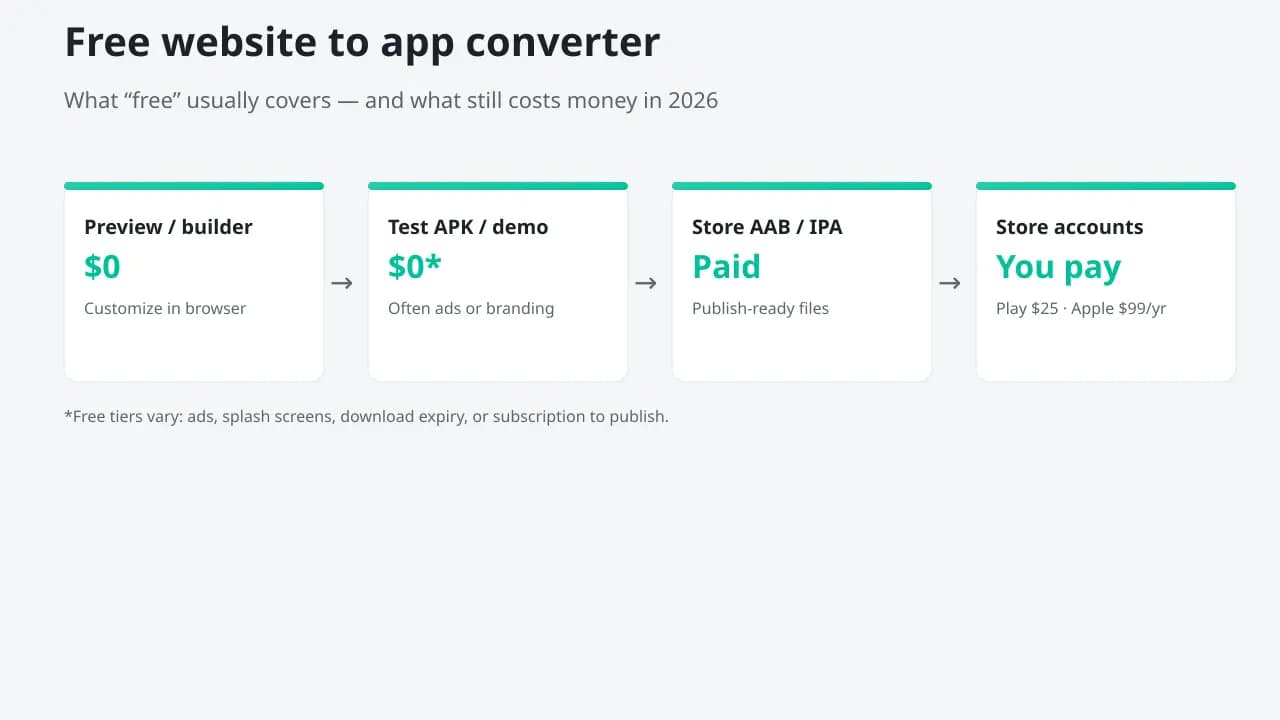
Free Website to App Converter? What's Actually Free in 2026
Most free website-to-app converters let you build and preview for $0, then charge to publish, remove ads, or ship iOS. Honest stage-by-stage breakdown, converter comparison, and how to test Android + iOS free on WebToApp.app before you pay once.
WebToApp Team Tutorials
How Much Does It Cost to Turn a Website Into an App in 2026?
Honest year-one math for every route — DIY Capacitor, pay-once URL wrappers, subscription publishers, managed services, and native rebuilds. WebToApp.app both-platform example: about $213 first year including Apple and Play fees.
WebToApp Team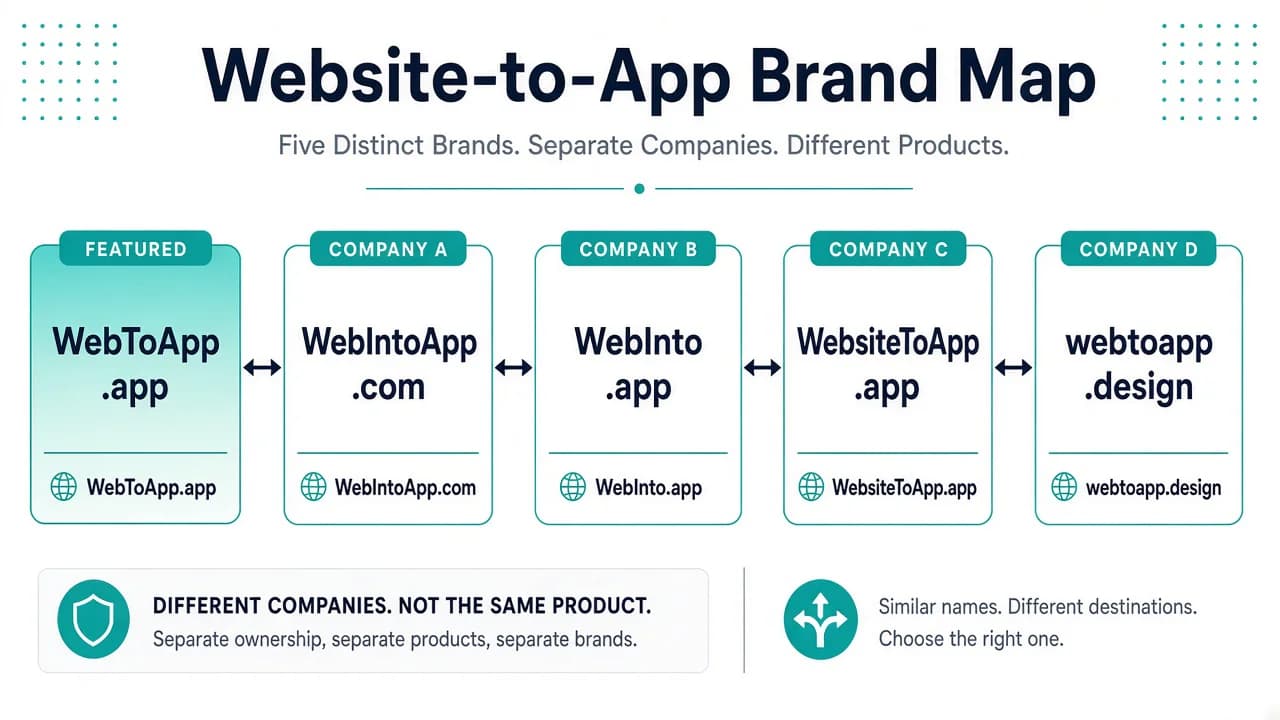 Tutorials
WebToApp vs WebIntoApp (and WebInto.app, WebsiteToApp): Which Is Which in 2026
Google results mash together web into app, webintoapp, web2app, and websitetoapp — and send people to the wrong dashboard. Same keywords, five different companies. Honest brand map, plan comparison, and scenario picks (prices checked November 2026).
WebToApp Team